What Is AIChatPlacement? An AI Assistant for Your Website from Your Own Documents
AIChatPlacement gives you an AI assistant for your website from documents you already have. Your price list, your frequently asked questions, your service descriptions and your policies become the source of every answer a visitor receives. Nothing has to be rewritten, and no development work is needed.
What it does
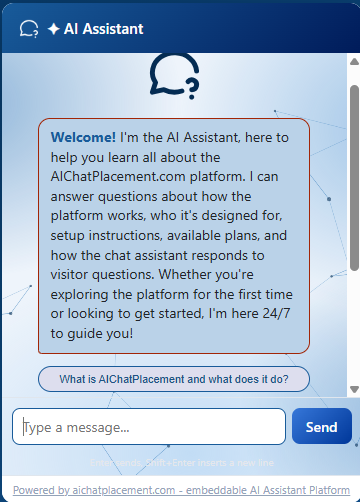
A visitor opens the chat on your website and types a question in ordinary words. The assistant searches the documents you uploaded, finds the parts that deal with that question, and writes an answer from them. It replies in a few seconds, at any hour, and it never leaves the visitor waiting for someone to come back to them.
You keep control of what it says. The assistant works from your files and nothing else, so it gives your prices, your opening times and your terms rather than something found elsewhere. When you change a document and build the knowledge base again, the answers change with it.
Who it suits
Any business whose customers ask questions that its own paperwork already answers. A law firm hears the same questions from every new client. A software company answers support requests that its documentation covers. A clinic explains its intake forms over the telephone. A shop repeats its delivery and returns policy several times a day. A property manager works through the same lease questions with every tenant. In each case the wording exists already, and the assistant does the repeating.
The About page sets out four common uses: customer support, sales, an internal reference for staff, and teaching or training.
What you upload
The assistant accepts PDF, Word, plain text, Markdown, CSV, PowerPoint and Excel files, up to 2 MB each. You can send several at once and give each one a short description so you remember what it covers.
One thing is worth checking before you upload a PDF. The file must hold real text that you can select with the mouse. A scan or a photograph of a printed page looks the same on screen but holds no readable text inside it, so a document produced from the original file gives a far better assistant.
How an AI assistant for your website is built from documents
Setting one up takes six steps, and most businesses are live in under an hour.
- Register with your name, email and a password. Your first assistant is created for you, and no card is asked for.
- Upload your documents.
- Press the Rebuild KB button. The system reads every file and prepares the assistant, and the status becomes Ready when it finishes.
- Set the appearance. You can upload a screenshot of your website and let the colours be taken from it, or set each part by hand in the appearance editor.
- Copy the one line of code from the Share and install tab and paste it into your website.
- Read the conversation log. It shows what visitors asked, what the assistant answered, how long each answer took, and whether the visitor rated it up or down.
The log is the part most owners come back to. It shows the questions customers actually ask, which often differ from the ones the website was written to answer, and it tells you which documents are worth adding next.
Three ways to place the chat
The Share and install tab offers three options. The Standalone Page is a plain web address that opens a full chat page, which you can put behind a button, send in an email or print as a QR code, with nothing installed on your website at all. The Floating Chat Widget puts a small bubble in the bottom-right corner of every page, and visitors open it and close it as they please. The Inline Chat Page places the full chat inside a page of your choosing, as a permanent section rather than a pop-up.
If a page ends up carrying both the widget and the inline chat, the inline chat wins and the bubble hides itself, so the two never appear together.
What it will not do
The assistant answers from your documents and not from the open internet. When a question falls outside what you uploaded, it says so instead of inventing something. Attempts to talk it out of its instructions are stopped before they reach it. The chat runs only on the website address you registered, and every message is checked for length and for tampering on the way in.
There is no handover to a person, no connection to other software you may already use, and no collection of visitor contact details. It answers questions from your own material, and that is the whole of it.
What it costs
There is a free plan, and three paid plans above it. Each step up gives you more assistants, a more capable AI model, longer answers and more ways to place the chat on a site. Paying for a year at a time costs less than paying by the month. The pricing page carries the current figures.
Try it before you sign up
The assistant on this website runs on AIChatPlacement. Open the demo chat and ask it anything about the service, and you will see exactly what your own visitors would see. When you are ready, create a free account and turn your own documents into answers.